My shoes got soaked 👟💦
To use an emoji, you have to know its name.
In Slack you type :tada:. In the Mac emoji window you search party popper. What I want to pick is the feeling. The name is just what I have to look up.
Mac has a feature that shows an emoji next to the cursor when you type an English word. Handy. It only looks at one word, and English only. I looked at similar apps too. Most of them still want the emoji’s name, and again, English only.
So I made an app that reads a sentence and picks an emoji.
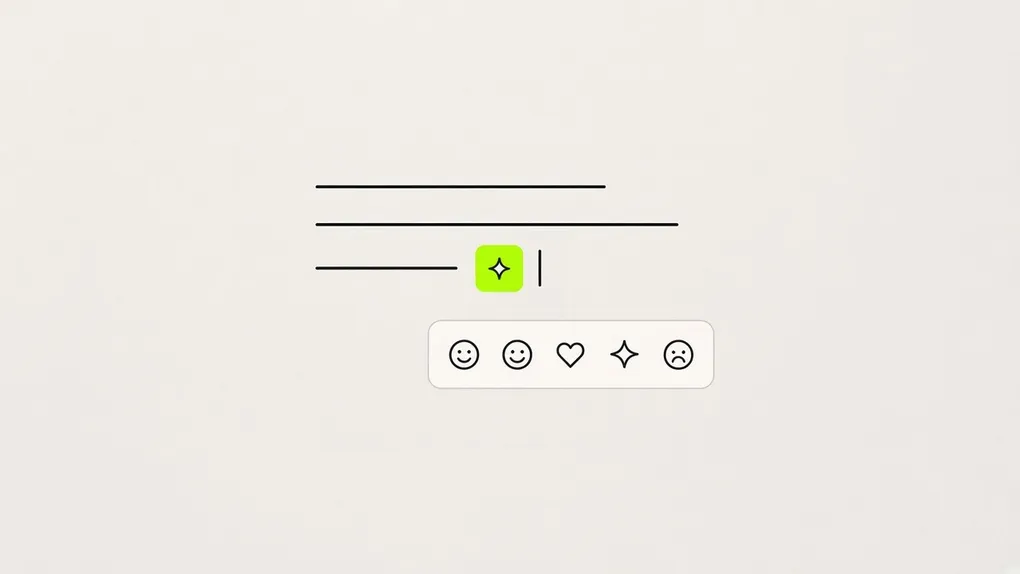
emote lives in the menu bar. Hit ⌃⌘E while you’re writing and a few emoji show up next to the cursor. Pick with Tab or the arrows, press Enter, and it goes in where you were typing. If none of them feel right, press it again.
Where the cursor is
Same hotkey. What it asks depends on where the cursor is.
Press it at the end of a sentence and it reads that sentence. After 오늘 퇴근길에 갑자기 비가 쏟아져서 신발까지 다 젖었어. (On the way home from work it suddenly poured, and my shoes got soaked.) you get rain, an umbrella, wet shoes, and something like a sigh.
Press it right after a word and it reads that word. After 커피 (coffee), ☕. It still passes the sentence the word is in, though. You have to see the sentence to tell whether 차 is tea you drink or a car you ride. Select a word and press, and it replaces the word with an emoji.
Press it at the start of a line and it reads the line as a heading. If the line has no sentence-ending punctuation. An emoji in front of a heading should stand for the topic, more than a feeling. In front of 설치 방법 (how to install), 🛠️ fits better than 😊. So in heading mode it also reads the first sentence of the next line, and looks at what that section is about.
Japanese and Chinese have no spaces. Then you can’t tell “right after a word.” I left that to the word splitter built into macOS (NLTokenizer). The system finds Japanese and Chinese word boundaries on its own. Korean comes back as-is: the whole spaced chunk, particle still attached.
Tone can’t change the facts
You can pick a tone in settings. neutral, dry, warm, playful. Four of them.
At first I thought the tone mattered. After using it, it didn’t. Context comes before tone.
What happens if you run 신발까지 다 젖었어 (my shoes got soaked) on warm. I put the same sentence into several models.
Apple on-device model: 😊 😌 😅 😍
Qwen3 4B: 🌧️ 😅 🤗 💡 ❤️ 🙏 🌈 😊 ✨ 😌
The rain disappeared. Hearts and a rainbow showed up. I asked for warm, and it turned the soaked walk home from work into a good thing.
Gemma 4 E4B: ☔️ 🌧️ 😭 🚶♀️ 💧 😔
This is the one. The rain still comes down. It just sounds a little more tender about being sad. Tone should only change the mood. What the sentence is about has to stay.
I compared ten models. Gemma 4 E2B and E4B, Qwen3 4B, Qwen2.5 1.5B and 3B, Llama 3.2 3B, Ministral 3B, SmolLM3 3B, EXAONE 4.0 1.2B, and the Apple on-device model. I mixed Korean, English, Japanese, and Chinese sentences and headings, and ran them on an M3 Pro. Three models couldn’t make an emoji list at all. They repeated Chinese characters, or spat the same fragment forever.
Gemma 4 E4B was the best. So emote’s default engine now is Gemma 4 E4B. It runs on the Mac, and the sentence doesn’t leave.
Dropping the Apple on-device model had a bonus, too. That model only works from macOS 26 Tahoe, and only with Apple Intelligence turned on. Gemma has no requirement like that, so it runs on Sonoma too. If the computer is struggling, you can switch to an OpenAI-compatible API. OpenAI, OpenRouter, Groq, places like that.
Fast isn’t the most important thing
When I made bdsk, speed was everything. Even if the accuracy was a bit lower, I picked the fastest model. I thought emote would be the same.
LLMs are slow. They have to write one character at a time. So I tried twice to skip writing characters.
System-one decision model
Jev is huge these days, you know. The System-one model from TypeSafe. It doesn’t write the answer one character at a time like an LLM. Give it the choices and it returns a probability for each one, right away. So it’s fast. I thought it was exactly right for picking emoji.
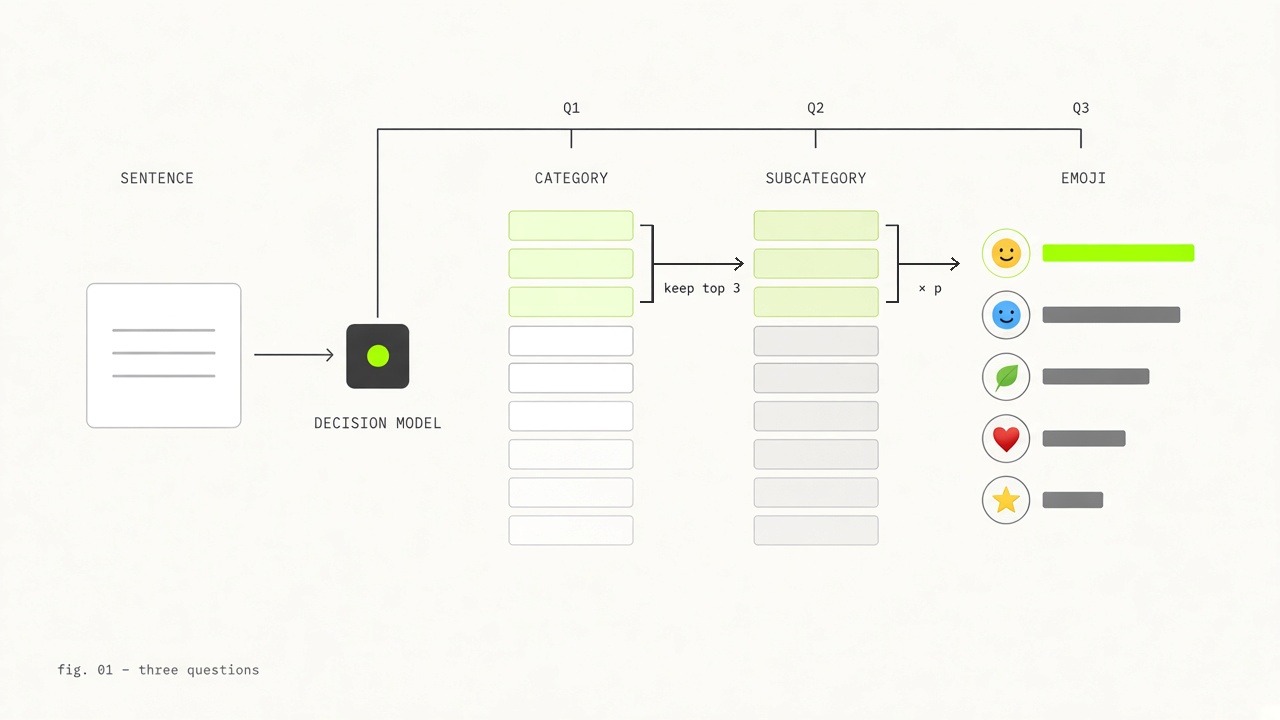
The problem was the number of choices. There are thousands of emoji, and the choices you can hand it at once are far fewer. So I built a tree. Pick a few broad categories, then a mid-level one under that, then a fine one, asking three times on the way down. I tested a small model in the Jev family (Jev-Style 0.8B). One sentence finished in 0.5 seconds.
The speed was good. Using it was a mess.
A tree doesn’t come back once it picks a branch. In the Unicode categories, 🤖 sits with the faces, next to ghosts and aliens. Go down 사물 (objects) on the first question and you never meet the robot again. Send Good morning down 인사 (a greeting) and ☀️ can’t come out. One emoji spans several meanings, and a tree puts it in only one place.
In the end the classification behaves completely differently depending on how you build the tree. Split by feeling, by object, or by situation. Split by situation and you get a slot like 출시 (a launch), which only fits someone like me. Add tree levels to improve the recommendations and the number of questions goes up, so you lose the speed, the advantage of a system-one model.
I rebuilt the tree a few times. Fix one side and the other side was wrong. I’m not even sure a tree that fits every sentence exists. If it does, you’d have to think very hard to find it.
Training my own model
The second try was training a model myself. On a multilingual sentence encoder (multilingual-e5-small), I attached a head that spits out probabilities for 1,854 emoji. I was teaching it to follow the emoji a larger Gemma 4 picks. For that I had to ask Gemma 4 and build the dataset first, and that took a really long time. I collected all kinds of sentences off the web, in several languages, everyday ones, wiki, and so on, and got recommendations from Gemma 4.
It was fast. 9ms each time. Gemma 4 E4B is 577ms, so about 60 times faster. But on 신발까지 다 젖었어 it answered like this.
Ranker: 📉 ☁️ 🌫️ ☔ 🙄
Gemma 4 E4B: 🌧️ 🚶♀️ 😩 💧
A 📉 on a rainy walk home from work is a bit off. I ran it through eight epochs and it didn’t change much.
I think how you build the dataset matters more than training longer. Which sentences, in which situations, how evenly you cover them. And in practice, one person collecting a dataset of the sentences people actually write, and training a model on it, looks hard.
Dictation has to turn speech into text the moment you speak. Emoji, I found, doesn’t. Press the hotkey once, pick from what shows up, done. 0.6 seconds is worth the wait, and a wrong emoji means you press again. So I dropped both experiments.
Overview
Heading mode was weird for a while. The main case was Overview. If the next line was empty, nothing came out no matter how many times I pressed.
I put the same Gemma 4 E4B on Ollama and sent the same prompt. It comes out fine.
📊 🗺️ 🧭 ℹ️ ✨
Same model. Why does it only fail in the app?
Engines like Ollama and vLLM do a lot around the model. They wrap the prompt in the chat format the model understands, turn the thinking step off, and take the answer in the JSON shape you want. We just write the options on the request.
Put the model in the app directly and I have to do all of that. And at first I got it wrong.
The JSON part, especially. The app pre-wrote the model’s answer up through {"emojis":[ and had it continue from there. The prompt did ask for 5 to 10 emoji, but that’s only a request. Overview is the name of a structure in a document, not a topic, so there’s nothing to picture. The model writes ] right away. That becomes {"emojis":[]}, an empty list.
Give Ollama a JSON schema and it blocks any character that doesn’t fit the shape. If the list doesn’t have five yet, it can’t write ]. The prompt was only a request. This one is a constraint.
So I changed the app to do the same. Now it only produces characters that fit a list of 5 to 10 emoji. The prompt goes in the right place, and the thinking step is actually off. Overview comes out now.
📄 🧭 ℹ️ 🗺️ ⚫
I don’t know why ⚫ showed up, though.
“오늘 퇴근길에 갑자기 비가 쏟아져서 신발까지 다 젖었어. 😩” (On the way home it poured, and my shoes got soaked.)
The install file is on GitHub.