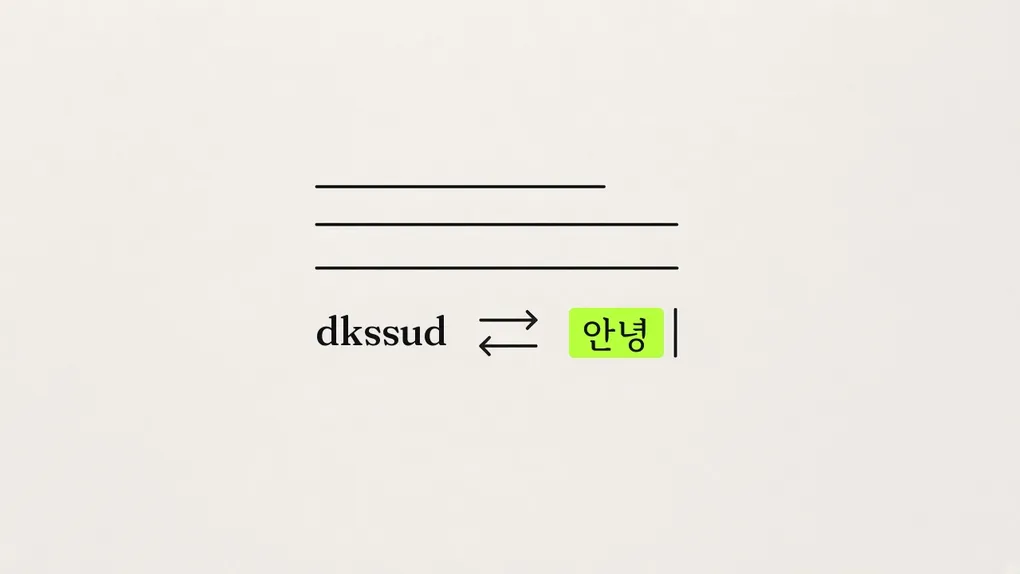
dkssudgktpdy 👋
I forget the 한/영 key a lot, the key that switches between Hangul and English.
I meant to type 안녕 (hi) and the screen shows dkssud. I usually notice around then. I delete it, press 한/영, and type it again. The other way happens too. I go to type transformer and get ㅅㄱ문래귿ㄱ.
I looked for similar apps. There are quite a few. The ones that flip what you just typed when you hit a shortcut still need me to notice I got it wrong first. There was also an app that fixes it on its own when you press space, but it only fixed English typed in Hangul mode, and you had to install its own input method. Russia has an app that’s like the original of this genre, but on a Mac it only does English and Russian.
I couldn’t find an app that spots Hangul typed in English mode, fixes it, and switches the input method too.
So I made one.
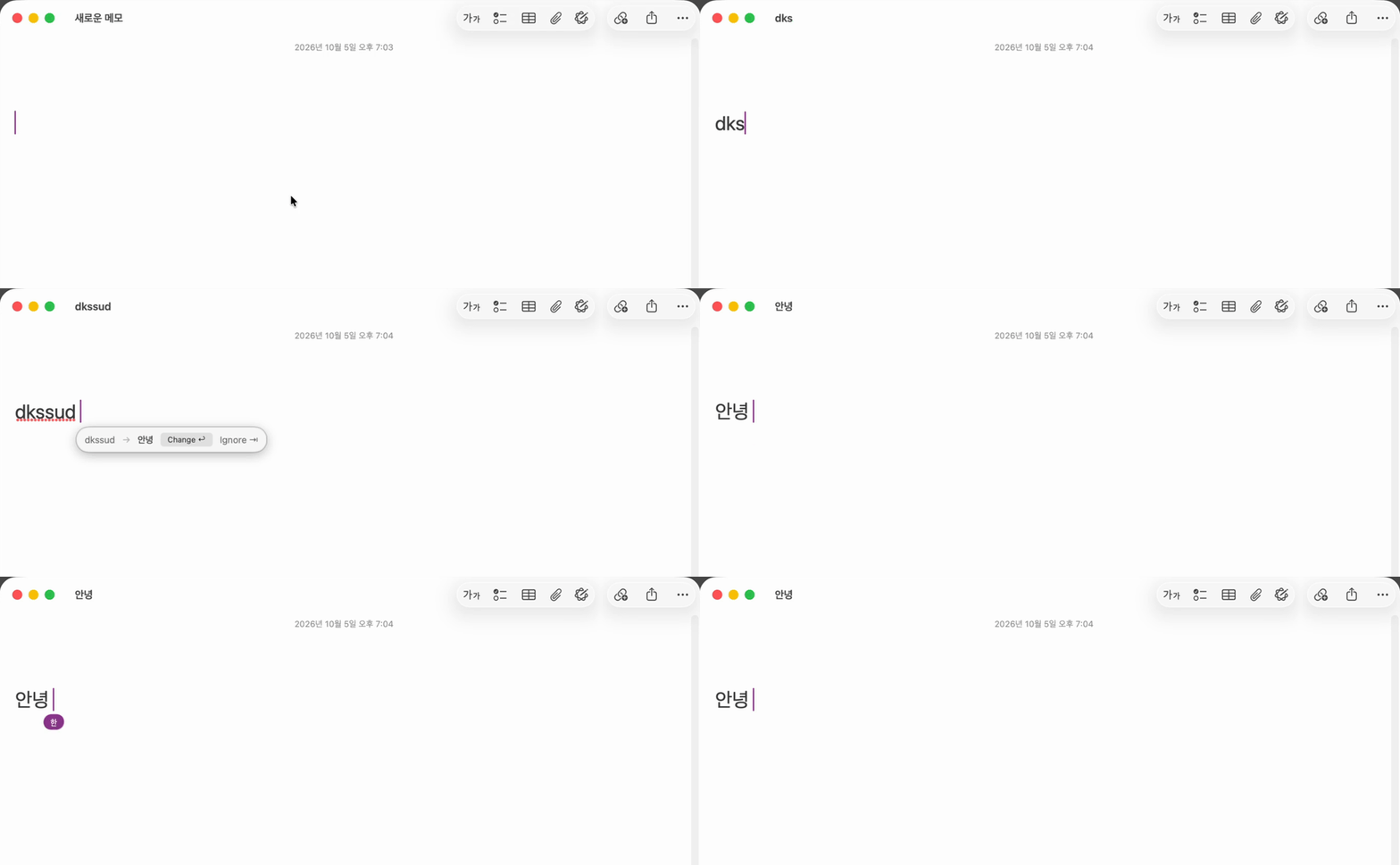
meant lives in the menu bar. I’m writing, I press space, and if the word I just typed looks like the wrong keyboard, a small window pops up next to the cursor. dkssud → 안녕. Press Enter and it changes, and the input method switches to Hangul. I just keep typing from there. I almost never have to press 한/영.
Flipping is easy
두벌식, the standard Korean two-set keyboard, and the US English keyboard are paired one key to one key. d is ㅇ, k is ㅏ. So dkssudgktpdy is 안녕하세요 (hello) with no dictionary. All you need are the rules that assemble consonants and vowels, including the final consonant, 받침. It’s doing what the Hangul input method does.
Capitals are a little different. On 두벌식, Shift produces tense consonants, the doubled ones. q is ㅂ, Q is ㅃ. So hello is ㅗ디ㅣㅐ, and HELLO is ㅗ띠ㅣㅒ.
The disappointing part is, this only works one way. Hangul typed in English mode still carries the Shift. ㄸ is E, ㄷ is e. From the capitals alone, you can tell the original letters.
English typed in Hangul mode is not like that. On 두벌식, Shift changes the letter on only seven keys, q w e r t o p, and the rest come out the same even if you hold it. H and h are both ㅗ. So if you flip ㅗ띠ㅣㅒ back, you get hEllO, not HELLO. A Shift that disappeared can’t be read off the letters alone.
Anyway, the hard part wasn’t the flipping. It was when to touch it.
Flipping every time space is pressed is fine. The calculation is cheap. The problem is putting a window up every time. People hate it when something does work they didn’t ask for. If it shows up too often, they turn the app off.
Luckily, most of what gets typed day to day is typed right. Flip 안녕하세요 and you get dkssudgktpdy, which is not an English word. Flip hello and you get ㅗ디ㅣㅐ, which is not Hangul. Only show the window when one side makes sense.
Sometimes both sides make sense. Type and on 두벌식 and you get 뭉. It might not be in the dictionary, but it isn’t a broken word. and makes sense and 뭉 makes sense. The app can’t know, so I handed those to a shortcut. Press the shortcut after 뭉 and it changes to and without asking. Space is a suggestion. The shortcut does it.
안녕안녕안녕
The flipping engine was done fast. The real work started at changing the text in someone else’s app. macOS has a channel for editing another app’s text field (Accessibility), and every app responded differently. Some only act like they changed it. Some change it and then keep reporting the old text for a while.
At first, nothing happened when I pressed Enter. So I set up three methods, and if one failed it would move on to the next, and dkssud became 안녕안녕안녕 (hi, three times). The first one had succeeded. I saw the old text and thought it had failed.
Next, the cursor went to the very front. Blank lines disappeared too. I was writing the whole text back in just to change one word. I made it change only the word and move the cursor by counting, and this time the cursor stood in the middle of the word. Some text fields count Hangul as characters, some count it as jamo, the separate consonant and vowel letters, so the count was never going to come out right. For nearly an hour, every time it was wrong in a slightly different way.
So I decided to fix it the way a person would. Select as many characters as I’m replacing, with Shift+←, delete, and put the new word in. Don’t ask the app. Do it from the keyboard. Almost every app takes keystrokes the same way, and the cursor stays at the end of the word you put in, on its own.
Two more places still caught me. If you delete Hangul while you’re still typing it, only the final consonant comes off, the 받침. Delete an underlined 뭉 and only the ㅇ disappears. So I finish the composition first, then replace. Notion ignores Cmd+V sent by the app, so I had to send it as if the keys had been pressed on the keyboard before it would go in.
How do you know it’s wrong?
I was typing HUD가 떴을 때 (when the HUD showed up). I typed HUD in English, didn’t switch 한/영, and typed 떴을 right after. The screen showed EjTdmf. I did it on purpose. This is the situation the app is for.
The window didn’t show.
ㄸ and ㅆ only come out if you press Shift. That’s why E and T are capitals. The app saw mixed-case EjTdmf, took it for code like getValue, and left it alone. A rule I added so I wouldn’t wreck code was blocking the case that mattered most. I changed it so that if the flip comes out as whole Hangul, the window shows even when the case is mixed.
The other direction had something similar. ㅔㅑㅜㅜㅑㅜㅎ is pinning, and the window didn’t show. pinning wasn’t in the English word list the app has. Adding it to the list would have ended it. But then every missing word means another app update.
I changed the question. Don’t only ask whether the result is a word I know. Also look at whether what I just typed is weird. ㅔㅑㅜㅜㅑㅜㅎ is weird even if you don’t know pinning. It’s only jamo in a row. If either one matches, show the window.
Then ㅋㅋㅋ (laughter) shows up too. ㅠㅠ (crying) too. Those were typed right, though. I can cancel then. And so the same text doesn’t get corrected later, pressing Tab while the window is up means don’t ask about that word from then on.
I loosened it, and this time it was too loose. I typed MLOps and it asked if I wanted ㅢㅒㅔㄴ. MLOps isn’t in the English word list, so it looked weird. But nobody was trying to write ㅢㅒㅔㄴ. I tightened it again: when changing English into Hangul, only ask if the result is whole Hangul characters.
So, right now, it asks in these cases.
- Hangul typed in English: four or more letters, not in the English word list, and the flip is two or more Hangul characters whose jamo aren’t loose.
- English typed in Hangul: the typed text has loose jamo, or the flip is an English word of four or more letters that’s in the list.
- Words that mix Hangul and Latin letters are left alone.
- A word dismissed with Tab is not asked about again.
- When both sides make sense, like
무andan, it doesn’t ask. A shortcut changes them.
Trigger
I thought about two more things with the trigger.
One is that a word also ends on something other than space. A period stuck right on, like dkssud., or closing a quote or a parenthesis. I fixed that. So now the window also shows when a word ends on a period, comma, quote, or parenthesis. The symbol stays, and only the word changes. dkssud. becomes 안녕.
The other was accepting with space. Press space after a mistyped word and the correction suggestion triggers. To make the change, press Enter. But pressing space and then Enter felt like two actions. It was a hassle. Pressing space twice seemed like it would feel like one action.
But while the window is up, space actually meant “no, leave it.” A suggestion that popped up wrong goes away if you just keep typing. If I turn space into the confirm, someone who was ignoring the suggestion and typing on gets a conversion they didn’t want. I dropped this, over the timing and over not causing that mistake.
I still forget the 한/영 key a lot. It’s fine now. 👍
The install file is on GitHub.